
Are you ready to unlock the full potential of your Netflix subscription and enjoy stunning 4K content on your IPTV device? We’re here to guide you through the process, ensuring you get the highest quality and resolution available.
With the right setup and knowledge, you can significantly enhance your viewing experience. This involves understanding the technical requirements for 4K streaming and optimizing your network for the best results.
By following our comprehensive guide, you’ll be able to enjoy Netflix Originals in crisp 4K quality, making the most of your entertainment setup.
Key Takeaways
- Learn how to optimize your IPTV device for 4K Netflix content.
- Understand the technical requirements for 4K streaming.
- Discover how to troubleshoot common issues affecting streaming quality.
- Enhance your viewing experience with the right setup and knowledge.
- Make informed decisions about your entertainment setup.
Understanding 4K Streaming on Netflix
To fully appreciate the upgrade to 4K streaming on Netflix, it’s essential to understand what sets it apart from standard definition. The primary difference lies in the resolution, with 4K Ultra HD offering four times the resolution of standard Full HD (1080p), resulting in much greater detail and clarity.
What Makes 4K Different from Standard Definition
4K resolution, also known as Ultra HD, boasts a significantly higher pixel count of 3840 x 2160 pixels compared to the 1920 x 1080 pixels of Full HD. This fourfold increase in pixel density translates to sharper images and more vivid colors, making for a more immersive viewing experience. The technical differences between 4K and standard definition are not just about resolution; they also involve the ability to display a wider range of colors and contrast levels.
Benefits of 4K Ultra HD Viewing Experience
The visual benefits of 4K content are particularly noticeable on larger screens, where the increased resolution and clarity provide a more engaging experience. With 4K Ultra HD, viewers can enjoy sharper details and more vibrant colors, drawing them into the story or scene. Furthermore, when combined with HDR (High Dynamic Range), 4K streaming offers better contrast and more accurate colors, enhancing the overall picture quality and creating a more immersive experience for the viewer.
Netflix Subscription Requirements for 4K Content
The key to streaming Netflix in 4K lies in choosing the right subscription. To watch 4K content on Netflix, you need a subscription to the Netflix Premium plan. This plan is the only one that offers 4K (Ultra HD) + HDR streaming, providing the highest quality viewing experience available on the platform.
Netflix Premium Plan Features
The Netflix Premium plan is designed to offer the ultimate streaming experience. Subscribers can enjoy 4K (Ultra HD) + HDR content, watch on four screens simultaneously, and download content on up to six devices. This plan is ideal for households with multiple viewers who want to watch different content at the same time. Additionally, the Premium plan supports High Dynamic Range (HDR), which enhances the color and contrast of the content, making it more visually appealing.
How to Verify Your Current Netflix Plan
To verify your current Netflix plan, follow these steps: Log in to your Netflix account on a web browser, go to the Account settings page, and look for the “Plan Details” section. Here, you can see your current plan and its features. If you’re not on the Premium plan and want to upgrade, you can do so directly from this page. Upgrading to the Premium plan will unlock 4K content, allowing you to enjoy your favorite Netflix Originals in the highest quality.
Understanding your Netflix plan and its capabilities is essential to making the most of your streaming experience. By choosing the Premium plan, you can enjoy a superior viewing experience with 4K and HDR content.
Essential Hardware Requirements for Strong 4K Netflix Streaming

For a truly immersive Netflix experience, certain hardware standards must be met. To enjoy 4K resolution, you’ll need a device capable of handling Ultra High Definition (UHD) content.
Compatible 4K TVs and Monitors
A 4K TV or monitor with at least a 60Hz refresh rate is necessary for smooth playback. When selecting a display, ensure it supports UHD and has the necessary HDMI ports for connectivity.
HDMI and HDCP 2.2 Compliance
HDMI 2.0 or higher cables are required for 4K content delivery, as they provide the necessary bandwidth. Moreover, your streaming device and display must support HDCP 2.2 compliance to ensure content protection and proper signal transmission.
Strong IPTV Box Specifications
Your Strong IPTV box should have a robust processor, sufficient memory, and support for relevant video codecs to handle 4K content. This ensures seamless streaming and an overall high-quality viewing experience.
By verifying that your hardware meets these requirements, you can enjoy Strong 4K Netflix Streaming with optimal quality.
Configuring Your Netflix Account Settings
To enjoy Netflix content in 4K on Strong IPTV, navigating to your account settings is the first step. We will guide you through the process of adjusting your settings to ensure maximum streaming quality.
Adjusting Playback Settings for Maximum Quality
Adjusting your playback settings is crucial for achieving the best possible picture quality. To do this, open your Netflix account, select your profile, and navigate to the “Playback settings.” Click “Change” to view the available options: Auto, Low, Medium, and High. Selecting “High” quality allows for 4K UHD streaming when available.
Here’s a breakdown of the options:
| Streaming Quality | Data Consumption per Hour | Video Quality |
|---|---|---|
| Low | 0.3GB | Standard Definition |
| Medium | 0.7GB | Standard Definition |
| High | 3GB (720p) to 7GB (4K UHD) | HD and 4K UHD |
Managing Data Usage Settings
Understanding the data usage implications of your chosen streaming quality is vital. With the “High” quality setting, data consumption can range from 3GB per hour for 720p to up to 7GB per hour for 4K Ultra HD. To manage your data usage effectively, consider your internet plan limitations.
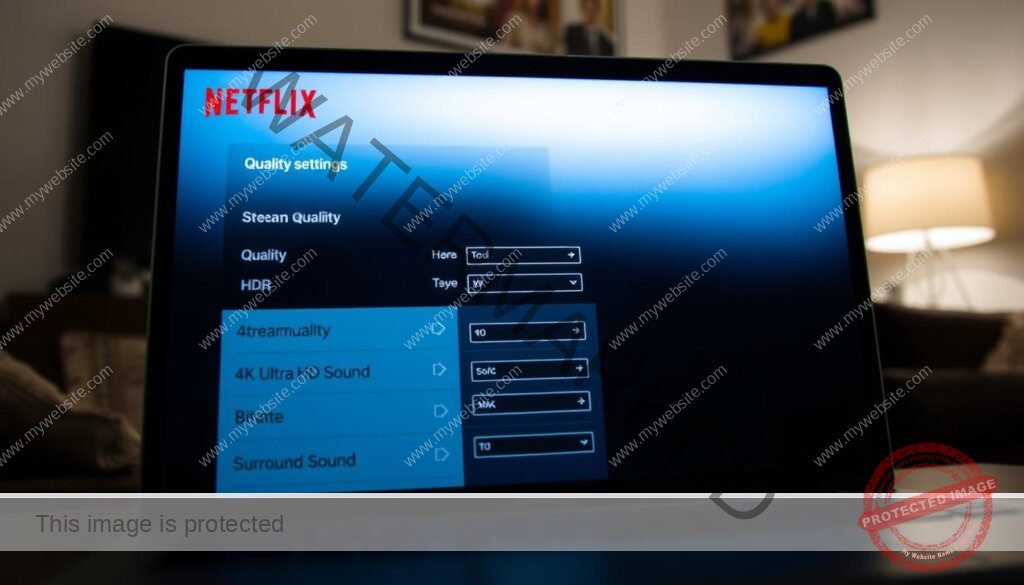
By adjusting your playback settings and being mindful of your data usage, you can enjoy a seamless 4K streaming experience on your Strong IPTV device. It’s also worth noting that changes to these settings may take up to eight hours to take effect.
Setting Up Strong IPTV for Netflix 4K Streaming
Configuring Strong IPTV for Netflix 4K streaming involves a few straightforward steps. To stream Netflix Originals in 4K, you need to ensure that your Strong IPTV box is properly set up and configured.
Installing and Configuring the Netflix App
To start streaming Netflix in 4K, you first need to install the Netflix app on your Strong IPTV box. We recommend downloading the latest version of the app to ensure compatibility with 4K streaming. Once installed, log in with your Premium Netflix account to access 4K content.
Key steps to configure the Netflix app:
- Download and install the latest Netflix app version.
- Log in with your Netflix Premium account credentials.
- Verify that the app is set to stream at the highest quality.
Ensuring that your Netflix app is correctly configured is crucial for a seamless 4K streaming experience.
Optimizing Strong IPTV Settings
Optimizing your Strong IPTV box settings is essential for the best 4K streaming experience. This includes adjusting display resolution settings, configuring HDMI output, and enabling HDR support if available.
| Setting | Recommended Configuration |
|---|---|
| Display Resolution | Set to 3840 x 2160 (4K UHD) |
| HDMI Output | Configure to HDMI 2.0 or higher for 4K @ 60Hz |
| HDR Support | Enable HDR (HDR10, HDR10+, Dolby Vision) |
By following these steps and optimizing your Strong IPTV settings, you can enjoy a superior 4K streaming experience on Netflix.
Internet Connection Requirements
To enjoy Netflix content in 4K, a strong and stable internet connection is essential. A fast internet connection ensures that you can stream your favorite Netflix Originals without interruptions or quality degradation.
Minimum Speed Requirements
For 4K streaming, Netflix recommends a minimum internet speed of 25 megabits per second (Mbps). If your internet speed is below this threshold, you may experience buffering or poor video quality. We recommend checking your current internet plan to ensure it meets this requirement.
Upgrading your plan or troubleshooting your connection with your Internet Service Provider (ISP) can help resolve any issues.
Testing Your Speed
Testing your internet speed is a crucial step in diagnosing potential streaming issues. You can use reliable tools like Speedtest.net to verify your connection speed.
It’s also important to understand that your actual available bandwidth may be affected by other devices on your network. Ensuring sufficient overhead beyond the minimum requirements can help maintain a stable connection.
| Streaming Quality | Recommended Internet Speed |
|---|---|
| SD (Standard Definition) | 3 Mbps |
| HD (High Definition) | 5 Mbps |
| 4K (Ultra HD) | 25 Mbps |
Browser Limitations for 4K Netflix Streaming
Not all web browsers are created equal when it comes to streaming Netflix content in high definition. The maximum resolution supported can vary significantly across different browsers. While most popular browsers can stream Netflix in HD, achieving 4K resolution is more nuanced.
Understanding these limitations is crucial for a seamless viewing experience. We will explore the capabilities of various web browsers and the specific conditions required for 4K streaming.
Browser Compatibility Chart
The following browsers have different levels of support for 4K Netflix streaming:
- Google Chrome, Firefox, and Opera support up to 720p.
- Safari supports up to 4K on select 2018 Mac or later models with an Apple T2 Security Chip and MacOS 11.0 Big Sur or later.
- Microsoft Edge supports up to 4K resolution with an HDCP 2.2-compliant connection to a 4K display, at least Intel’s 7th-generation Core CPU, and the latest version of Windows.
| Browser | Maximum Resolution | Specific Requirements |
|---|---|---|
| Google Chrome | 720p | – |
| Firefox | 720p | – |
| Opera | 720p | – |
| Safari | 4K | 2018 Mac or later, Apple T2 Security Chip, MacOS 11.0 Big Sur or later |
| Microsoft Edge | 4K | HDCP 2.2-compliant connection, Intel’s 7th-generation Core CPU, latest Windows version |
Using Dedicated Apps vs. Web Browsers
For the best 4K Netflix experience on Strong IPTV, using the dedicated Netflix app is always the recommended approach rather than browser-based streaming. Dedicated apps provide a more stable and higher quality streaming experience.
While certain browsers can support 4K streaming under specific conditions, the dedicated Netflix app on Strong IPTV devices ensures that users can enjoy their content in the best possible quality without worrying about browser limitations.
Troubleshooting Common 4K Streaming Issues
Achieving smooth 4K Netflix streaming requires overcoming common technical hurdles. We will explore the most frequent issues that can disrupt your viewing experience and provide practical solutions.
Resolving Buffering Problems
Buffering issues often stem from network congestion or insufficient bandwidth. To resolve this, ensure your internet connection meets Netflix’s minimum speed requirements for 4K streaming, which is 25 Mbps. You can also try reducing the number of devices connected to your network or upgrading your internet plan.
Fixing Resolution Downgrade Issues
Resolution downgrade issues occur when Netflix adjusts the streaming quality based on available bandwidth. To maintain consistent 4K quality, check your internet speed regularly and consider using a wired Ethernet connection for your Strong IPTV device.
Addressing HDCP Errors
HDCP errors are related to content protection between your device and display. Ensure that all HDMI cables and devices support HDCP 2.2. If issues persist, try swapping HDMI ports or using a different HDMI cable.
Understanding how Netflix’s adaptive streaming technology works can also help. It starts with a lower quality stream and gradually increases to 4K as it buffers. Being aware of peak usage times can help you plan your viewing schedule for the best possible 4K experience.
| Issue | Solution |
|---|---|
| Buffering Problems | Check internet speed, reduce network congestion |
| Resolution Downgrade | Use a wired connection, check bandwidth |
| HDCP Errors | Ensure HDCP 2.2 support, swap HDMI cables/ports |
Optimizing Your Home Network for 4K Streaming
To enjoy seamless 4K streaming on Netflix via Strong IPTV, optimizing your home network is crucial. A stable and fast internet connection is the foundation of a great viewing experience.
Router Placement and Configuration
Proper router placement and configuration can significantly enhance your 4K streaming experience. We recommend placing your router in a central location to maximize signal strength and coverage throughout your home. Advanced router settings, such as Quality of Service (QoS) configurations, can prioritize streaming traffic, ensuring that your Strong IPTV device receives the necessary bandwidth for smooth 4K playback.
Wired vs. Wireless Connections
When it comes to 4K streaming, the debate between wired and wireless connections is ongoing. While wireless connections offer convenience, a wired Ethernet connection to your Strong IPTV box is generally preferable for stable 4K playback. This is because wired connections are less susceptible to interference and can provide a more consistent and reliable connection. Minimizing network interference from other devices and neighboring networks is also crucial for maintaining a stable connection.
By optimizing your home network, you can ensure that your internet connection is not the bottleneck for your 4K streaming experience. This may involve upgrading your network equipment or adjusting your router’s settings to better manage streaming traffic.
Best Netflix Originals to Showcase 4K Quality

Experiencing Netflix in 4K is a must for any serious film enthusiast, thanks to its breathtaking original content. With a Netflix Premium subscription, viewers can access a wide range of 4K movies and series that showcase vibrant colors and stunning visuals.
Action and Adventure Titles
Netflix offers a variety of action-packed and adventurous original titles that are perfect for 4K viewing. For example, “The Old Guard” is a visually stunning film with impressive fight choreography and cinematography, making it a great choice for those who want to experience the full potential of 4K. Runtime: 125 minutes.
Nature Documentaries in 4K
Nature documentaries are another great example of content that benefits from 4K resolution. Series like “Our Planet” and “Night on Earth” offer breathtaking footage of the natural world, with vivid colors and incredible detail. These documentaries are a must-watch for anyone with a 4K TV.
Visually Stunning Netflix Original Films
Some Netflix Original films are specifically designed to take advantage of 4K viewing. For instance, “The Irishman” is a masterpiece of cinematography, with meticulous attention to detail and a cinematic experience that rivals traditional movie theaters. Runtime: 209 minutes.
These titles demonstrate why Netflix’s 4K content is a significant draw for subscribers with 4K TVs.
Advanced Tips for the Ultimate Strong 4K Netflix Streaming Experience
Unlocking the full potential of your Strong IPTV for Netflix 4K streaming requires attention to detail and a few expert tweaks. To achieve the ultimate viewing experience, it’s essential to understand and optimize various settings and technologies.
HDR and Dolby Vision Enhancement
High Dynamic Range (HDR) and Dolby Vision are technologies that significantly enhance the 4K viewing experience. HDR works alongside 4K to deliver better contrast, more accurate colors, and an overall enhanced picture quality. Dolby Vision, an advanced form of HDR, provides even better picture quality with dynamic metadata that optimizes each scene. To leverage these technologies, ensure your display device supports HDR or Dolby Vision. Netflix Original movies like “The Irishman” and “Okja” showcase the capabilities of Dolby Vision, offering a more immersive viewing experience with richer colors and deeper contrasts.
When watching content that supports Dolby Vision, you may notice a significant improvement in visual quality, with more detailed shadows and highlights. To fully appreciate this enhancement, it’s crucial to have a compatible Strong IPTV box and a display device that supports Dolby Vision.
| Technology | Description | Benefits |
|---|---|---|
| HDR | Enhances contrast and color accuracy | Better picture quality, more realistic image |
| Dolby Vision | Advanced HDR with dynamic metadata | Optimized picture quality for each scene, richer colors |
Audio Settings for Immersive Experience
While visual quality is a significant aspect of the streaming experience, audio settings play a crucial role in creating an immersive experience. Optimizing your Strong IPTV box’s audio output for Dolby Atmos or other surround sound formats can elevate your movie nights. Netflix Original movies such as “6 Underground” and “The Old Guard” are available in Dolby Atmos, providing a more engaging audio experience.
To ensure you’re getting the best audio quality, check that your AV receiver or soundbar is compatible with the latest audio formats supported by Netflix. Configuring your Strong IPTV box to output Dolby Atmos or DTS:X can make a significant difference in how immersive the experience feels, with sound that seems to come from all directions.
Conclusion
The ultimate 4K Netflix streaming experience is now yours to enjoy, thanks to our detailed setup guide. We’ve covered all the essential aspects of streaming Netflix Originals in 4K using your Strong IPTV device, from subscription requirements to hardware specifications and network optimization. By following our steps, you’ll enjoy the highest quality streaming experience with access to Netflix’s growing library of 4K content. To achieve the best 4K streaming experience, attention to multiple factors is required, including your Netflix Premium plan, Strong IPTV hardware capabilities, and network performance.
As Netflix continues to expand its 4K library, your properly configured Strong IPTV system will ensure you’re always ready to enjoy the latest releases at the highest possible quality.


